
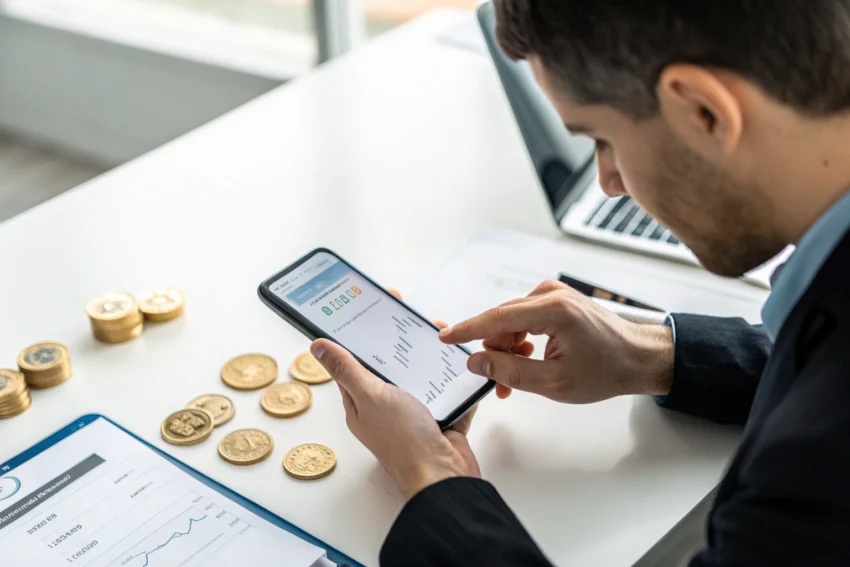
Practice deposits represent one of the most crucial yet overlooked aspects of cryptocurrency wallet security. The irreversible nature of blockchain transactions means that a single mistake—whether it’s using the wrong network, mistyping an address, or falling victim to clipboard hijacking—can result in permanent loss of funds. Unlike traditional banking where errors can often be reversed, crypto transactions offer no such safety net.
This comprehensive walkthrough is designed for beginners and intermediate users who want to trial new wallets safely before committing significant amounts. By implementing a systematic approach to practice deposits, you can identify potential issues with address formats, network compatibility, memo requirements, and wallet functionality while risking only minimal amounts. The small cost of test transactions pales in comparison to the devastating losses that can occur when transferring large sums to untested wallets or addresses.
Why You Should Always Test a New Wallet With a Practice Deposit
The irreversible nature of cryptocurrency transactions makes every transfer a permanent commitment once confirmed on the blockchain. Unlike traditional financial systems where banks can reverse erroneous transactions, blockchain protocols operate on the principle of immutability—what’s done cannot be undone. Small test deposits serve as your first line of defense against catastrophic losses by exposing critical issues before you commit substantial funds.
Practice deposits reveal problems that are invisible until you actually attempt a transaction. Wrong network selections, address format mismatches, and unsupported token standards often only become apparent during the transfer process. These tests also expose user interface quirks, unexpected fee structures, and wallet-specific requirements that could derail larger transactions.
The most dangerous errors occur at the intersection of user assumptions and technical reality. Users frequently overlook critical details like memo requirements for exchange deposits, assume network compatibility based on token names, or trust clipboard contents without verification. A small practice deposit forces you to navigate these potential pitfalls while the stakes remain manageable.
Common Risks When Using a Wallet for the First Time
- Wrong blockchain network selection leading to funds sent to incompatible addresses
- Address format mistakes including typos, missing characters, or incorrect checksums
- Skipping mandatory memo or tag fields required by exchanges and certain protocols
- Falling victim to fake wallet applications downloaded from unofficial sources
- Clipboard hijacking malware that substitutes attacker addresses during copy-paste operations
- Insufficient confirmation verification allowing double-spend or low-fee transaction failures
- Network fee miscalculations resulting in stuck or failed transactions
How a Small Test Deposit Reduces These Risks
The fundamental logic behind practice deposits lies in creating a low-stakes learning environment where mistakes become educational rather than devastating. When you’re only risking a few dollars instead of thousands, you can afford to make errors and learn from the experience without significant financial consequences.
Test deposits force you to slow down and verify every step of the process. This methodical approach naturally catches errors that might be overlooked when rushing to complete larger transfers. The practice also builds familiarity with the wallet interface, reducing the likelihood of mistakes in future transactions.
Most importantly, small test deposits reveal wallet-specific behaviors and requirements that documentation often fails to adequately explain. You’ll discover how long confirmations typically take, whether the wallet properly displays incoming transactions, and how reliable the user interface is under normal operating conditions.
Prepare the New Wallet Before Sending Any Funds
- Download the wallet application exclusively from official sources like the project’s verified website or legitimate app stores with developer verification
- Verify the application’s authenticity by checking digital signatures, comparing file hashes, or using official verification tools provided by the wallet developer
- Generate and securely back up your seed phrase using offline storage methods like paper or metal backup devices stored in secure locations
- Set strong, unique passwords and enable all available security features including two-factor authentication and biometric locks where supported
- Update your device’s operating system and security software to protect against malware that could compromise your wallet or steal your credentials
- Test the seed phrase recovery process on a separate device or wallet instance to ensure your backup works correctly before depositing funds
- Configure network settings and verify that the wallet supports the specific blockchain networks and token standards you intend to use
Security Checklist Before Your First Deposit
- Confirm you’re using official wallet software by cross-referencing download links with multiple legitimate sources
- Verify that your chosen network settings match the blockchain where your source funds currently exist
- Test seed phrase restoration to ensure your backup can actually recover your wallet if needed
- Enable maximum security settings including screen locks, app passwords, and transaction confirmation requirements
- Scan your device for malware and ensure your clipboard hasn’t been compromised by malicious software
- Document wallet version numbers and configuration settings for future reference and troubleshooting
Choose the Right Asset, Network and Amount for a Practice Deposit
Selecting the appropriate combination of asset, network, and amount for your practice deposit requires balancing several factors: transaction fees, confirmation times, and the minimum amount needed to meaningfully test wallet functionality. Different blockchain networks offer vastly different cost structures and user experiences that can significantly impact your testing strategy.
The ideal practice deposit should be large enough to exceed any dust limits or minimum transaction thresholds while remaining small enough that loss wouldn’t cause financial stress. Consider both the absolute dollar value and the percentage of your total crypto holdings when determining your test amount.
Network selection impacts not just fees but also the speed and reliability of your test. High-congestion networks may delay confirmations or result in failed transactions due to insufficient fees, while newer or less established networks might have different technical requirements or wallet support issues.
| Asset/Network | Pros for Testing | Typical Fee Level | Recommended Test Amount Range |
|---|---|---|---|
| Bitcoin (BTC) | Universal support, proven network | Medium to High | $10-25 |
| Ethereum (ETH) | Smart contract testing, dApp compatibility | High | $15-30 |
| Polygon (MATIC) | Low fees, fast confirmations | Very Low | $2-5 |
| Binance Smart Chain (BNB) | Moderate fees, good wallet support | Low | $3-8 |
| Litecoin (LTC) | Fast, reliable, low fees | Low | $5-15 |
| USDC (Various Networks) | Stable value, multiple network options | Varies by Network | $5-20 |
How Network Choice Affects Your Test Transaction
Mainnet transactions provide the most realistic testing environment since they replicate the exact conditions your wallet will face during normal use. Testnet alternatives, while free, often lack the congestion and fee dynamics that can reveal wallet performance issues under stress.
Block times and network congestion significantly impact your testing timeline and the reliability of confirmation estimates. Networks with volatile gas prices may require fee adjustment capabilities that not all wallets handle gracefully.
Consider that some wallets perform differently across various networks, with certain features like automatic network switching or gas estimation working better on some chains than others. Your test should reflect the network environment where you plan to conduct most of your actual transactions.
Deciding What Counts as a Safe ‘Practice’ Amount
A safe practice amount should feel completely disposable—money you could lose without any impact on your financial wellbeing or crypto portfolio strategy. For most users, this falls somewhere between the cost of a coffee and a modest dinner out.
Factor in total transaction costs including network fees for both the incoming test deposit and a potential outbound test transaction. Your practice amount should be large enough that fees don’t consume the majority of the transfer value.
Consider your overall crypto holdings and risk tolerance. New users might start with smaller amounts around $2-5, while experienced users testing new wallet features might use $10-25 to ensure meaningful functionality testing.
Generate and Verify the Receiving Address in the New Wallet
- Navigate to your wallet’s receive or deposit section and select the correct cryptocurrency and network for your intended deposit
- Generate a new receiving address and immediately copy it to your clipboard, avoiding any manual typing that could introduce errors
- Paste the address into a text document or note-taking app to create a permanent record you can reference during verification
- Cross-check the first and last 6-8 characters of the pasted address against what’s displayed in your wallet to catch clipboard hijacking
- Verify the address format matches the expected pattern for your chosen network including correct prefixes and character length
- If using an exchange destination, double-check that memo or tag requirements are properly noted and will be included in your transaction
- Take a screenshot of the wallet’s receive screen showing both the address and any special instructions for your records
Address and Memo/Tag Checks You Must Not Skip
Memo and tag requirements are critical for deposits to centralized exchanges and certain blockchain protocols that use shared wallet addresses to manage multiple user accounts. Omitting these additional identifiers typically results in lost funds that require manual recovery processes, if recovery is possible at all.
Exchange deposits almost universally require memos for networks like Stellar (XLM), Cosmos (ATOM), and others that use account-based addressing. Even some standard networks may require tags when depositing to exchange wallets that use address sharing for operational efficiency.
Always verify memo requirements even if you’ve used the same exchange before, as platforms periodically change their deposit procedures or implement new requirements for specific assets. The wallet interface should clearly display any required additional identifiers alongside the receiving address.
Send Your Practice Deposit From the Source Wallet or Exchange
The source of your practice deposit significantly influences the transaction process, fee structure, and potential risks involved in the transfer. Different platforms implement varying security measures, user interfaces, and technical requirements that can affect your testing experience.
Exchange platforms typically impose withdrawal limits, mandatory security delays, and standardized fee structures that may not reflect actual network conditions. Browser wallets and mobile applications offer more direct control over transaction parameters but require greater user vigilance regarding fee settings and confirmation requirements.
Understanding your source platform’s specific characteristics helps you anticipate potential issues and plan appropriate verification steps. Some platforms batch transactions or impose minimum withdrawal amounts that could affect your practice deposit strategy.
| Source (Exchange/Wallet) | Key Settings to Confirm | Typical Fees/Delays | Extra Risks to Watch |
|---|---|---|---|
| Centralized Exchange | Network selection, withdrawal limits, 2FA verification | Fixed fees, 10-60 minute delays | Account restrictions, unexpected verification requirements |
| Hardware Wallet | Fee rate, network congestion, device confirmation | Variable network fees, immediate broadcast | Fee estimation errors, device connectivity issues |
| Browser Wallet Extension | Gas limits, slippage tolerance, network RPC | Real-time network rates, instant broadcast | RPC failures, gas estimation bugs, phishing sites |
| Mobile Wallet App | Network connection, biometric locks, backup status | Market-rate fees, quick confirmation | App crashes, connectivity interruptions, UI bugs |
| Desktop Wallet Software | Sync status, peer connections, fee customization | Customizable fees, depends on sync status | Sync delays, peer connection failures, software bugs |
Walkthrough: Step‑by‑Step Practice Transfer Flow
- Access your source wallet or exchange and navigate to the send, withdraw, or transfer section for your chosen cryptocurrency
- Paste your verified receiving address into the destination field and double-check that the entire address matches your records
- Enter your predetermined practice amount, ensuring it meets any minimum requirements while staying within your risk tolerance
- Select the correct network if multiple options are available, confirming it matches your destination wallet’s network setting
- Review and adjust fee settings based on your urgency and network conditions, choosing higher fees if you want faster confirmation
- Add any required memos or tags if your destination requires additional identifiers for proper credit
- Complete final verification by reviewing all transaction details before authorizing the transfer with passwords, 2FA, or device confirmation
Why You Should Always Start With a New Recipient Test Transaction
Every new wallet or receiving address represents unknown territory with unique technical requirements and potential compatibility issues. Even experienced users can encounter unexpected problems when wallet software implements non-standard features or handles network protocols differently than expected.
Test transactions establish a baseline for future transfers by confirming that your specific combination of source platform, destination wallet, and chosen network functions correctly together. This verification becomes especially important when dealing with newer wallet software or less common cryptocurrency networks.
The small cost of initial test transactions pays dividends by preventing much larger losses later. Many users develop habits of testing every new receiving address or wallet, treating the practice as essential insurance against the irreversible nature of blockchain transactions.
Track the Practice Deposit on a Block Explorer
Block explorers provide the authoritative record of your transaction’s progress through the blockchain network, offering insights that wallet interfaces often don’t display clearly. These tools become essential for understanding what’s actually happening during your practice deposit and identifying potential issues before they affect larger transfers.
Monitoring your test transaction through a block explorer teaches you to recognize normal confirmation patterns, typical fee levels, and expected processing times for your chosen network. This knowledge proves invaluable for troubleshooting future transactions and setting appropriate expectations.
Block explorer data also serves as independent verification of your wallet’s accuracy and reliability. Discrepancies between explorer information and wallet displays can reveal serious problems with your wallet software or configuration settings.
| Explorer Field | What It Tells You | What to Check During a Test | Red Flags |
|---|---|---|---|
| Transaction Hash | Unique identifier for your specific transaction | Matches hash provided by sending wallet | Hash not found or different from sender |
| Confirmation Count | Number of blocks mined since your transaction | Steadily increasing toward required threshold | Stuck at zero confirmations for extended periods |
| Gas/Fee Details | Amount paid for transaction processing | Fee matches your expectations from sender | Extremely low fees suggesting transaction may fail |
| From/To Addresses | Source and destination wallet addresses | Destination matches your wallet address exactly | Wrong destination address indicating potential error |
| Transaction Status | Success, pending, or failed state | Shows ‘Success’ with adequate confirmations | ‘Failed’ status or error messages in transaction logs |
| Block Height/Time | When transaction was included in blockchain | Recent timestamp matching expected timing | Very old transactions or missing block inclusion |
How Long Should You Wait and What If It Stalls?
Normal confirmation times vary dramatically between networks and current congestion levels, ranging from minutes on fast networks like Polygon to potentially hours during Bitcoin network congestion. Most networks provide reasonable confirmation within 10-30 minutes under normal conditions.
Stalled transactions usually result from insufficient fees relative to current network demand or technical issues with the sending platform. If your transaction hasn’t appeared on the block explorer after an hour, check with your sending platform for potential issues or delays.
Some networks allow fee bumping or transaction cancellation if the original transaction hasn’t been confirmed, though these features depend on your wallet software’s capabilities. Always research your specific network’s options before attempting advanced transaction management techniques.
Confirm That the New Wallet Displays and Can Use the Funds
Successfully receiving funds represents only half of wallet functionality testing—you also need to verify that your new wallet can properly manage and spend the deposited cryptocurrency. This verification process exposes user interface issues, balance calculation problems, and potential spending restrictions that might not be immediately apparent.
Different wallets implement varying approaches to balance updates, transaction history, and spending controls that can significantly impact usability. Some wallets require manual refreshing to display incoming transactions, while others may show incorrect balances due to synchronization issues.
- Check that your wallet’s balance accurately reflects the practice deposit amount minus any network fees
- Verify that transaction history displays the incoming transfer with correct timestamps and amounts
- Test wallet refresh or sync functions to ensure balance updates work reliably
- Confirm that the wallet correctly identifies the network and token type for your deposit
- Examine fee estimation accuracy by checking costs for a hypothetical outbound transaction
- Test any additional features like QR code generation, address book management, or transaction notes
- Verify that wallet backup and security settings remain properly configured after receiving funds
Troubleshooting: Funds Show on Explorer but Not in the Wallet
Discrepancies between block explorer data and wallet displays typically indicate synchronization problems, incorrect network configuration, or wallet software bugs rather than actual fund loss. Your cryptocurrency exists on the blockchain regardless of wallet display issues, but accessing it requires resolving the underlying technical problem.
Network configuration mismatches represent the most common cause of missing balance displays. If your wallet is connected to the wrong network or using incorrect RPC endpoints, it won’t detect transactions that occurred on different networks, even if the addresses appear similar.
Wallet synchronization problems often resolve automatically given time, but persistent issues may require manual intervention such as clearing wallet cache, reimporting accounts, or switching to different network providers. Document any required fixes for future reference.
Token contract address errors can cause wallets to fail displaying certain cryptocurrency deposits, particularly for newer or less common tokens. You may need to manually add token contracts or update wallet software to support your specific cryptocurrency properly.
Testing a Small Outbound Transaction From the New Wallet
Outbound transaction testing provides the final verification that your new wallet functions correctly for both receiving and sending cryptocurrency. This test reveals spending-related issues like fee calculation problems, transaction signing errors, or user interface bugs that only appear during outbound transfers.
Choose an even smaller amount for outbound testing since you’ll incur additional network fees and want to preserve most of your practice deposit for future testing. The goal is confirming basic functionality rather than testing large transaction capabilities.
Send the test amount back to your original wallet or to another known good address where you can verify receipt. This creates a complete transaction cycle that validates both wallets and helps you understand the full user experience for future transfers.
Advanced Practice Tests for Web3 and Multichain Wallets
Web3-enabled wallets introduce additional complexity through smart contract interactions, decentralized application connections, and cross-chain functionality that require specialized testing approaches. These advanced features create new potential failure points that simple send-and-receive tests won’t reveal.
Multichain wallets must correctly handle network switching, asset management across different blockchains, and varying fee structures that can confuse both users and wallet software. Testing these capabilities with small amounts helps identify configuration issues before they impact larger transactions.
| Scenario | What to Test With a Small Amount | Why It Matters | Extra Precautions |
|---|---|---|---|
| DeFi Protocol Connection | Token approvals, liquidity provision, basic swaps | Reveals smart contract interaction bugs | Use testnet when possible, verify contract addresses |
| Cross-Chain Bridging | Bridge tiny amounts between supported networks | Tests complex multichain address management | Research bridge security, expect longer confirmation times |
| NFT Marketplace Activity | Mint or purchase inexpensive NFTs | Tests metadata display and transfer functions | Verify marketplace legitimacy, understand gas for NFT operations |
| Staking Interface | Delegate small amounts to validators | Confirms staking rewards and unbonding work correctly | Understand unbonding periods, research validator reliability |
| Multi-Signature Setup | Create and test multisig transactions | Validates complex signature requirements work | Test with trusted parties, understand recovery implications |
Testing dApp Connections and Permissions Safely
- Connect to reputable decentralized applications using minimal permissions to test wallet integration functionality
- Review and understand all permission requests before granting access, especially for token spending allowances
- Test transaction signing workflows with small-value operations to verify the wallet correctly displays transaction details
- Verify that the wallet properly handles dApp disconnection and permission revocation when you’re finished testing
- Check whether the wallet warns about potentially dangerous transactions or permissions during dApp interactions
- Test automatic network switching functionality if your wallet supports multiple blockchain networks
Evaluate the Wallet After Your Practice Deposit
Your practice deposit experience provides valuable data for assessing whether a wallet meets your specific needs for security, usability, and feature requirements. This evaluation should consider both technical performance and user experience factors that will impact long-term satisfaction.
Systematic evaluation helps you make informed decisions about which wallets deserve continued use and larger fund deposits. Consider both current performance and potential future needs when weighing your options.
- Rate the overall user interface quality and ease of navigation for common tasks like checking balances and sending transactions
- Evaluate transaction fee accuracy and transparency, including whether the wallet provides reasonable fee estimation and customization options
- Assess security features including seed phrase protection, transaction confirmation requirements, and additional authentication methods
- Test customer support responsiveness and knowledge quality if you encountered any issues during your practice deposit
- Review network support breadth and reliability, particularly for any blockchain networks you plan to use regularly
- Analyze backup and recovery options to ensure you can restore wallet access if your device fails or is lost
- Consider development activity and community support for the wallet project to gauge long-term viability and security update reliability
Red Flags That Mean You Should Not Trust This Wallet
- Balance displays that don’t match blockchain explorer data or update inconsistently after transactions
- Fee calculations that are significantly inaccurate or transactions that fail due to insufficient gas estimates
- Security warnings from antivirus software or reports of wallet-related security breaches in recent months
- Poor customer support that fails to address technical questions or provides incorrect troubleshooting guidance
- Wallet software that requests unusual permissions or exhibits suspicious network activity beyond normal blockchain operations
- User interface bugs that could lead to sending funds to wrong addresses or selecting incorrect networks
When It’s Safe to Move Larger Amounts
Consider increasing your deposit amounts only after successfully completing multiple practice transactions that test different aspects of wallet functionality. This includes both inbound and outbound transfers, network switching if applicable, and any advanced features you plan to use regularly.
Wait for at least a few days between your practice deposit and larger transfers to allow time for any delayed issues to surface. Some wallet problems only become apparent after software updates or during periods of network congestion.
Gradually increase transfer amounts rather than jumping immediately to your full intended deposit. This staged approach helps you build confidence while maintaining reasonable risk levels if problems emerge with larger transactions.
Long‑Term Wallet Hygiene After the First Practice Deposit
Your initial practice deposit establishes a baseline for ongoing wallet security and performance monitoring that should continue throughout your usage of the wallet. Regular testing and maintenance help ensure continued security and functionality as software updates and network conditions change.
Developing systematic habits around wallet maintenance and testing prevents gradual security degradation and helps you catch problems before they affect significant funds. These practices become especially important as your cryptocurrency holdings grow in value.
| Best Practice | Benefit | What You Tested With the Practice Deposit | Ongoing Action |
|---|---|---|---|
| Regular Backup Verification | Ensures recovery capability remains functional | Seed phrase storage and initial recovery test | Test recovery annually or after major updates |
| Software Update Testing | Catches bugs introduced by new versions | Basic send/receive functionality | Small test transaction after each update |
| Network Fee Monitoring | Prevents overpaying or transaction failures | Fee estimation accuracy during practice | Compare wallet fees to current network rates monthly |
| Security Audit Schedule | Identifies compromised devices or accounts | Device security and wallet authentication | Quarterly review of connected devices and permissions |
| Performance Benchmarking | Detects degrading wallet performance over time | Transaction speed and UI responsiveness | Time common operations quarterly, note trends |
Using Practice Deposits Whenever Something Changes
Any significant change to your wallet setup, device configuration, or network environment warrants additional practice deposits to verify continued functionality. Changes that seem minor can sometimes introduce unexpected issues that only surface during actual transactions.
Wallet software updates, operating system changes, and device replacements all represent potential disruption points where small test transactions can prevent larger problems. The cost of periodic testing remains minimal compared to the risk of losing significant funds due to undetected issues.
Network upgrades, new token standards, and blockchain protocol changes also merit fresh testing even if your wallet software remains unchanged. These external changes can affect wallet compatibility and transaction processing in ways that only become apparent through actual usage.